How to Use Zoho for E-commerce Business Management
Learn how Zoho for E-commerce Business streamlines inventory, orders, CRM, sales, automation, and customer management for faster business growth.
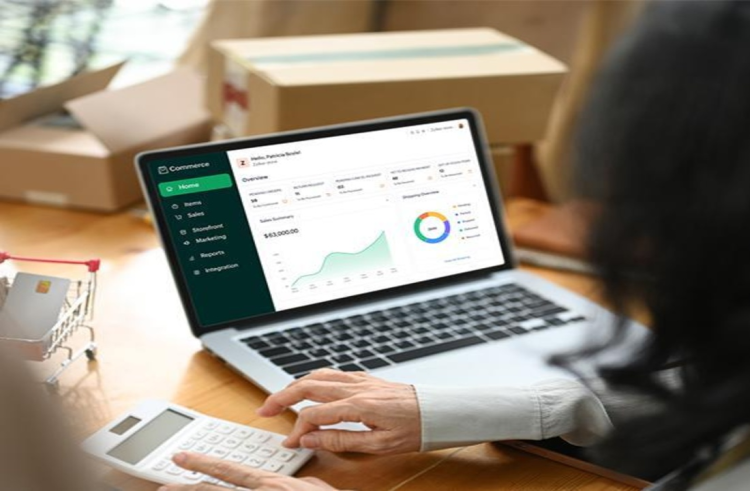
Zoho helps e-commerce businesses bring sales, customer data, inventory, orders, finance, and business workflows into one management system. As an online retail business grows, handling everything with spreadsheets and different apps can get hard. Orders might slip through the cracks, stock levels can become outdated, and customer details can end up in the wrong places.


Zoho provides a range of business tools that help e-commerce companies manage their operations more smoothly. Depending on what a business needs, they can use Zoho CRM, Zoho Inventory, Zoho Books, Zoho Analytics, Zoho Desk, and Zoho Commerce to build connected workflows.
For instance, Zoho Inventory supports selling across channels, keeps inventory updated, handles order fulfillment, manages shipping, creates reports, and connects with platforms like Shopify, Amazon, eBay, Etsy, and WooCommerce.
What Is Zoho for E-commerce Business?
Zoho for E-commerce Business means using Zoho’s set of tools to handle key parts of an online retail operation. Instead of using different systems for customer data, inventory, orders, accounting, marketing, and support, businesses can bring these functions together in one place. This creates a more unified workflow.
In an e-commerce setup, different teams handle different tasks. The marketing team brings in visitors. Generates leads. The sales team works directly with customers. The warehouse team keeps track of stock levels. Fulfills orders. The finance team manages payments and invoices. The customer service team answers questions. Handles returns.
When these teams use tools, they often end up with different or outdated information. This can cause confusion, delays, and mistakes. Zoho helps fix this by letting companies link the applications to match their needs. For example, Zoho CRM is great for managing customer relationships and sales, while Zoho Inventory is designed for tracking stock and handling orders. By connecting these tools, businesses can keep data accurate and up to date across teams.
Key Zoho Applications for E-commerce
|
Zoho Application |
E-commerce Use |
|
Zoho CRM |
Customer and sales management |
|
Zoho Inventory |
Stock, products, orders, and fulfillment |
|
Zoho Books |
Accounting and financial management |
|
Zoho Analytics |
Reports and business insights |
|
Zoho Desk |
Customer support |
|
Zoho Campaigns |
Email marketing |
|
Zoho Commerce |
Online store management |
|
Zoho Flow |
Workflow and application automation |
The exact combination depends on the size, sales channels, product structure, and operational complexity of the business.
Why E-commerce Businesses Need Better Management
Running a store is not just about listing products and taking payments. Every sale involves a lot of behind-the-scenes work. Things like tracking inventory, handling customer details, processing payments, shipping orders, managing returns, and offering support all need to be handled
As more orders come in, managing everything by hand becomes difficult. Businesses often face problems, like:
-
inventory numbers
-
Orders that get delayed
-
Multiple copies of the same customer information
-
Sales that are missed because of poor tracking
-
Invoices that need to be made by hand
-
Slow replies to customer questions
-
No clear picture of what’s happening across different sales channels
-
Reports that are hard to create
-
Lots of repetitive tasks that take time
-
All of these issues can hurt profits and make customers unhappy.
A connected e-commerce management system helps teams see the picture. It brings together all the parts of the business into one place. Zoho’s e-commerce tools, for example, connect sales channels and keep inventory in sync. They also offer a place to manage orders and fulfill them faster. This makes operations smoother. Helps teams work better.
How Zoho Supports E-commerce Operations
Zoho can help manage e-commerce operations from the moment a customer first learns about a product to after they receive support. A customer might first see a product through an ad, then go to the website, place an order, get a confirmation, and later reach out to support. Every step in this journey creates data.
When each of these steps is handled in isolation, different teams may not see the full picture. This can lead to confusion and gaps in understanding what the customer really needs. With the Zoho integrations, businesses can connect these steps into smooth workflows.
For example, the flow can look like this:
Marketing → Customer → Order → Inventory → Payment → Fulfillment → Support → Reporting
This connected approach reduces the need to re-enter the data in multiple places. It also gives teams a view of what is happening across departments.
Take Zoho Inventory, for instance. It works with Zoho CRM. This means customer data, vendor details, and product information are kept up to date across both systems. No duplicate entries. No outdated records. One reliable source of truth.
This kind of integration helps teams work faster and make decisions. It also improves the customer experience because everyone is on the same page.
7 Powerful Ways to Use Zoho for E-commerce
1. Use Zoho CRM for Customer Management
Customer relationships are an important part of e-commerce growth.
Zoho CRM consultancy can help businesses organize customer information, sales activities, follow-ups, and interactions. Instead of keeping customer details in separate spreadsheets, businesses can create a structured customer database.
Teams can use CRM data to understand:
-
Customer purchase history
-
Lead sources
-
Previous interactions
-
Customer preferences
-
Sales opportunities
-
Follow-up requirements
This can be especially useful for businesses selling higher-value products where customers may need assistance before purchasing.
CRM data can also support segmentation. For example, an online business might separate first-time buyers, repeat customers, inactive customers, wholesale buyers, and high-value customers.
These groups can then receive different communication and follow-up strategies.
Automate Customer Follow-Ups
Automation can make customer management more efficient.
A business could configure workflows to trigger follow-up tasks when:
-
A new lead enters the CRM.
-
A customer requests product information.
-
A high-value order is completed.
-
A customer has not purchased for a specific period.
-
A sales opportunity remains inactive.
This helps sales teams spend less time monitoring routine activities.
2. Manage Products and Inventory With Zoho
Inventory is one of the biggest operational challenges for growing e-commerce companies. Selling products across multiple channels means inventory information must remain accurate. Otherwise, a business could oversell products or fail to replenish popular items quickly enough. Zoho Inventory for e-commerce provides tools for managing products, stock, orders, warehouses, packages, shipments, and sales channels. Zoho states that its e-commerce inventory solution supports multiple sales channels, stock synchronization, centralized fulfillment, reporting, and shipping integrations.
Businesses can use inventory management to monitor:
-
Stock on hand
-
Committed stock
-
Available stock
-
Reorder levels
-
Product variants
-
Warehouses
-
Purchase orders
-
Sales orders
-
Returns
Zoho's documentation also explains that available-for-sale inventory can be calculated based on stock on hand and committed stock, helping businesses understand what can actually be sold.
3. Streamline E-commerce Order Management
Order management becomes increasingly complex as order volume grows.
An e-commerce company may receive orders from its website, marketplaces, social commerce channels, and other sales platforms.
Managing each order manually can create unnecessary work.
Zoho can help centralize important order processes, including:
-
Sales order creation
-
Product availability
-
Customer information
-
Invoicing
-
Packaging
-
Shipping
-
Order tracking
-
Returns
Zoho Inventory is designed to support centralized order management across multiple sales channels.
4. Automate Sales and Marketing Activities
E-commerce businesses constantly need to attract, convert, and retain customers.
Zoho's marketing and CRM tools can help businesses automate parts of this process.
For example, businesses can create campaigns for:
-
New customer onboarding
-
Abandoned shopping activity
-
Product promotions
-
Repeat purchases
-
Seasonal campaigns
-
Customer re-engagement
-
Product recommendations
The objective isn't to automate every customer interaction.
Instead, automation should handle repetitive tasks while teams focus on activities that require human judgment.
Turn Customer Data Into Marketing Opportunities
Customer data can reveal useful patterns. For example, a business may discover that customers who purchase one product frequently purchase another product within 30 days. That insight can support a cross-selling campaign. Similarly, customers who haven't purchased for six months could receive a re-engagement campaign. This makes marketing more targeted instead of relying on generic messages.
5. Improve Customer Support With Zoho
Customer support can make or break an e-commerce experience.
Customers may ask about:
-
Order status
-
Product availability
-
Shipping
-
Returns
-
Refunds
-
Product specifications
-
Payments
-
Account issues
Zoho Desk can help businesses organize customer support requests through a structured ticketing environment. Instead of handling every question through scattered emails, support teams can organize requests, assign tickets, track responses, and monitor service performance. This becomes even more useful when support teams have access to relevant customer and order information.
For example, when a customer asks about an order, support staff should ideally be able to identify the customer, order number, product, payment status, and shipment status without searching through multiple systems.
6. Connect Finance and Accounting
E-commerce businesses need accurate financial records. Sales transactions generate invoices, payments, refunds, taxes, expenses, and other accounting information. Zoho Books can be used as part of a connected Zoho ecosystem to manage accounting and financial processes.
A connected setup can help businesses organize:
-
Invoices
-
Payments
-
Expenses
-
Taxes
-
Customer transactions
-
Vendor transactions
-
Financial reports
This can reduce the need for repeated data entry. It can also make it easier for business owners to understand revenue and expenses alongside operational information. The result is a more complete view of business performance.
Why Choose Zoho for E-commerce Business Management?
Zoho is particularly useful for businesses that want a broad business software ecosystem rather than a single-purpose e-commerce tool. Its applications can support different areas of the business while allowing integrations between them.
For example, Zoho Inventory can connect with CRM and multiple online sales channels, helping businesses synchronize important information and centralize order management. For companies with complex requirements, customization and integration planning are important.
A Zoho implementation partner can help businesses determine which applications are required, connect external platforms, configure workflows, migrate data, and train internal teams. For e-commerce businesses considering this approach, Vision Infotech can help evaluate business processes and design Zoho-based solutions around specific operational requirements.
FAQs
1. Is Zoho good for e-commerce businesses?
Yes. Zoho can support important e-commerce functions such as customer management, inventory, order processing, accounting, customer support, marketing, analytics, and workflow automation. The best setup depends on the business model and sales channels.
2. Can Zoho manage e-commerce inventory?
Yes. Zoho Inventory is designed for inventory and order management and supports multiple sales channels, stock synchronization, warehouse operations, fulfillment, reporting, and shipping integrations.
3. Can Zoho CRM be used for e-commerce?
Yes. Zoho CRM can help e-commerce businesses manage customer information, sales activities, leads, follow-ups, and customer relationships. It can also work with other Zoho applications to create connected business workflows.
4. Can Zoho integrate with Shopify and Amazon?
Yes. Zoho Inventory supports integrations with several e-commerce platforms and marketplaces, including Shopify and Amazon. These integrations can help synchronize products, orders, and inventory across connected channels.
5. Can Zoho automate e-commerce processes?
Yes. Businesses can automate suitable repetitive processes such as notifications, stock-related alerts, order workflows, customer follow-ups, and other routine tasks. Automation should be configured around specific business rules.
Conclusion
Zoho for E-commerce Business can provide a practical way to connect customer management, inventory, orders, finance, marketing, support, and analytics. Instead of managing each function separately, e-commerce businesses can create connected workflows that reduce manual effort and improve operational visibility. The most effective approach is to begin with business requirements, identify process gaps, select the right Zoho applications, integrate sales channels, and automate repetitive activities. For growing online businesses, this can create a stronger foundation for efficient operations, better customer experiences, and sustainable growth. Businesses looking for professional implementation can also work with a Zoho development and consulting partner to customize integrations and workflows according to their unique requirements.
What's Your Reaction?