NBA 2K27 PC Setup Advice from U4GM on DLSS 5
See how DLSS 5 changes NBA 2K27, from sharper player detail and cinematic replays to the real performance trade-off PC players need to weigh.
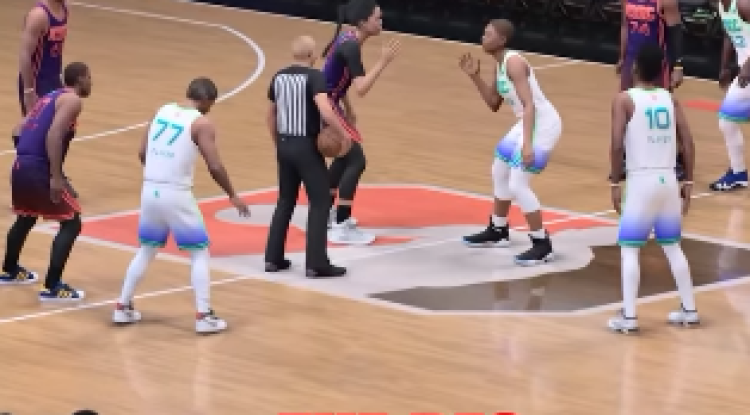
DLSS 5 NBA 2K27 is a serious visual upgrade, but it isn't an automatic setting for every PC. After playing with it across live possessions, replays, and close camera angles, I found the choice comes down to image detail versus rendering headroom. Your wider setup matters too, especially if you're already comparing display quality, roster plans, or NBA 2K27 MT spending around your MyTEAM routine.
What does DLSS 5 change in NBA 2K27?
DLSS 5 Neural Rendering changes how NBA 2K27 handles lighting, surfaces, shadows, and player detail. The difference is easiest to see on faces under arena lights, uniforms with visible material response, hair, sweat, contact shadows, and reflective court surfaces.
That extra detail gives replays and presentation scenes more weight. Player models look more convincing when the camera moves close, and the arena lighting feels less like a flat layer over the action. From the regular full-court view, though, the improvement is harder to notice while you're reading spacing, help defense, and passing lanes.
Is DLSS 5 worth enabling for NBA 2K27 gameplay?
For ordinary gameplay, I wouldn't enable it without checking the performance hit first. NBA 2K27 rewards quick reactions and steady frame delivery, so a sharper close-up isn't automatically better if live possessions feel less responsive.
The setting makes more sense for players with plenty of hardware headroom. If you care most about player likenesses, broadcast-style replays, introductions, and cinematic late-game scenes, the visual gain has a real place. If you mainly play online games from a wide camera, stable performance should carry more weight.
How much performance does DLSS 5 use?
The published test gives the clearest picture of the cost. At 3440 × 1440 with maximum graphics, ray tracing, and quality-focused super resolution, NBA 2K27 reached 240 FPS with Neural Rendering off. Turning it on reduced the result to 91 FPS before any frame creation setting was used.
That is roughly a 62 percent reduction in the stated test, which makes this more than a small visual toggle. The exact result will vary by system, but the direction is hard to ignore: DLSS 5 asks the GPU to do much more work for its added image detail.
What do the frame creation settings mean?
With Neural Rendering enabled, the same test reported 152 FPS at 2X, 263 FPS at 4X, and 348 FPS at 6X frame creation. Those figures can make movement look smoother, but they shouldn't be read as equal to rendering every displayed frame directly at that rate.
For NBA 2K27, the useful checks are input feel, frame-time consistency, and the underlying rendering rate. A high displayed number is appealing on a monitor, yet it doesn't remove the workload introduced by Neural Rendering. Test a live possession rather than judging the setting from a replay alone.
Who should use DLSS 5 in NBA 2K27?
DLSS 5 is officially available on compatible 50-series PC graphics hardware as of September 22, 2026. It is optional, and NBA 2K27 remains fully playable without it.
You can find the control under Features, then Video Settings. The F9 shortcut also lets you switch Neural Rendering during gameplay and replays, which is useful for comparing the same arena, player model, or camera angle without relying on memory.
What is the best DLSS 5 setting for NBA 2K27?
Start with Neural Rendering off, record how live games feel, then enable it and repeat the same test. Check a full-court possession, a replay, and a close presentation scene before deciding. That gives you a better answer than a single still image or a headline FPS figure.
For high-refresh play, prioritize steady frame pacing. For visual presentation, enable Neural Rendering when the camera will stay close. For a mixed setup, keep the shortcut handy and switch based on what you're doing rather than treating one setting as permanent.
Ultimately, DLSS 5 gives NBA 2K27 a higher visual ceiling, especially in replays and close-ups, but its cost is large enough to demand a personal test. Try the feature with your normal camera and display, then decide whether the extra detail improves your sessions enough to justify the lower rendering headroom. If you're also planning a MyTEAM refresh, buy NBA 2K27 MT only after your graphics settings and gameplay feel are settled.


What's Your Reaction?