How to Choose Time Tracking Software for Remote Employees (Without Picking Wrong)
A buyer's checklist for time tracking software for remote employees — five criteria that actually matter, and the one test that tells you if a tool passes.


Search "time tracking software for remote employees" and you'll find dozens of tools that all claim to solve the same problem. Most of them can log an hour. Far fewer can actually tell you whether that hour meant anything — and picking based on the wrong criteria is how agencies end up switching tools eighteen months later, having learned the hard way what actually mattered.
Here's what to actually evaluate, in the order it matters.
Start With What "Remote" Specifically Breaks
Before comparing feature lists, it helps to be precise about what remote work actually removes. In an office, you know who's stretched thin, who's stuck, and what's genuinely happening on a project — without anyone telling you directly. Remote takes all of that away and replaces it with whatever people choose to report.
That means the right tool isn't just "a timer that works from anywhere." It's something that rebuilds the visibility an office used to provide by accident — which immediately rules out any tool that treats time tracking as an isolated number, disconnected from the actual work.
Criterion 1: Does Time Connect to Real Work, or Just a Daily Total?
The single biggest differentiator between tools is whether logged hours mean anything beyond a number. A tool that shows "7.5 hours today" tells you almost nothing. A tool where time tracking is tied directly to specific projects and tasks tells you what those hours actually built — the difference between a total and a picture of real progress.
When evaluating a tool, ask: can I see not just how much time was logged, but exactly what it went toward? If the answer requires cross-referencing a separate project tool, that's a sign the two systems weren't built to work together — which becomes its own daily friction.
Criterion 2: Is Project Status Visible Without Asking?
A remote-specific test that generic reviews rarely mention: can a manager check where a project actually stands without messaging someone and waiting for a reply, possibly across a time zone gap? Project management built into the same system as time tracking means status updates as work happens — not just at a scheduled check-in.
This matters more for remote teams than in-office ones, because the cost of "just ask" is much higher when asking means waiting hours for someone in a different time zone to see the message.
Criterion 3: Does It Offer Real Activity Visibility — Used Honestly?
This is the criterion most buyer's guides skip, because it's the most sensitive one. Some tools for remote teams include live screen monitoring — activity and screenshots tied to logged time. It's not the right fit for every team, but for fully distributed teams, especially ones managing freelancers or billing clients based on tracked hours, it's often the closest available substitute for the walk-by-the-desk awareness an office gives for free.
When evaluating this feature specifically, look past whether a vendor has it and check how it's positioned: is it framed as a deliberate, disclosed tool for a specific need, or as a blanket surveillance default? The honest answer matters more than the feature itself.
Criterion 4: Does Attendance Mean Something Real?
For distributed teams, "online" and "actually working" are not the same thing, and a tool that only tracks the former is tracking the wrong signal. Real attendance tracking — recorded work hours, not just a status indicator — matters more once a team spans multiple time zones and nobody can simply glance over to check who's actually at their desk.
Criterion 5: Is Team Structure Built In, or Bolted On?
A tool that only tracks individuals misses something remote teams need specifically: clear ownership. Team management that keeps reporting lines and account assignments explicit matters more remotely than in person, because a new remote hire can't just look around the office to figure out who to ask — the org structure has to be visible in the system itself.
The Test That Actually Matters
Once you've checked these five criteria, the real test is simple: pick a specific, ordinary week and ask whether the tool would let you answer, without messaging anyone, exactly what your remote team worked on, whether anything stalled, and who has room for more. If the honest answer is "I'd still have to ask around," the tool hasn't actually solved the remote visibility problem — it's just added a timer on top of the same guesswork.
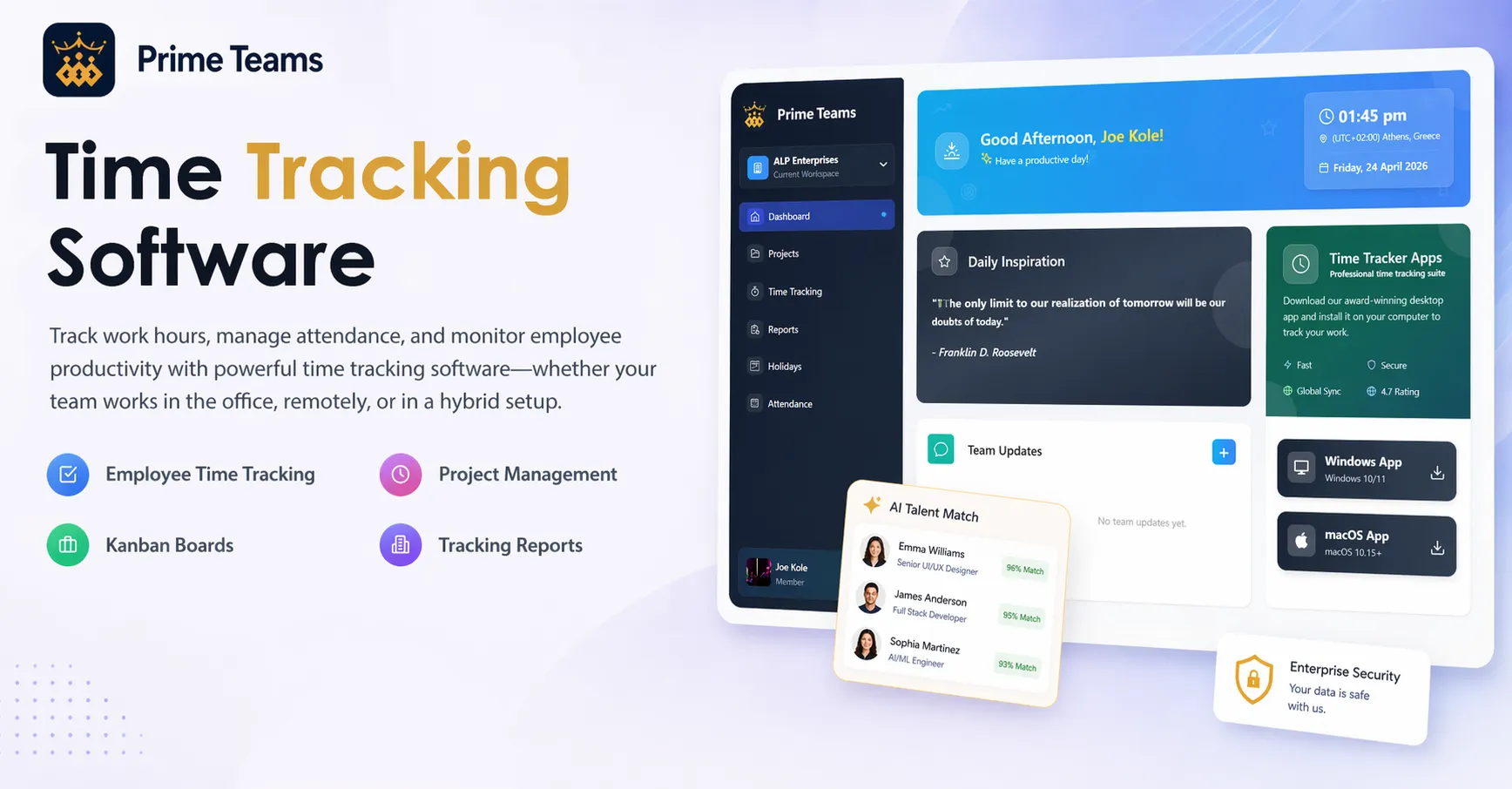
Prime Teams' time tracking software for remote employees was built specifically to pass that test — time, tasks, attendance, and team structure in one connected system, so a remote manager isn't reconstructing the picture from scattered updates.
Don't Skip the Cost of Switching Later
One criterion worth adding to any checklist: how painful would it be to leave this tool in a year, if it turns out to be the wrong fit? Tools that lock your historical time and project data into a proprietary format make switching expensive even after you've realized a mistake — you're not just choosing a tool, you're choosing how much leverage you'll have if that choice needs to change.
This matters more for remote teams specifically, because a lot of the value in a connected system builds up over time — a year of project history, attendance patterns, and team structure is worth far more than the same data scattered across a spreadsheet. Losing that history in a switch costs more than the subscription fee ever did.
A tool worth choosing should make it easy to export your own data in a usable format, not just easy to get started. If a vendor is vague about this during a sales conversation, that vagueness is itself useful information.
What This Looks Like Once You've Actually Chosen
Getting this decision right doesn't just avoid a bad tool — it changes how the whole team operates day to day. Status stops requiring a message and a wait. A stalled task gets caught before it becomes a missed deadline. A new remote hire can see how the team is structured without a week of informal explanation. None of that is dramatic on its own, but together it's the difference between a remote team that runs smoothly and one that's constantly reconstructing context it shouldn't have lost in the first place.
Most tools can log an hour. The ones worth choosing connect that hour to real work, real status, and real team structure — so remote management stops depending on people remembering to report what an office would have shown for free.
Want to see how Prime Teams holds up against this checklist on your own team? Start your free trial or schedule a demo and run the test yourself.
What's Your Reaction?